 Post by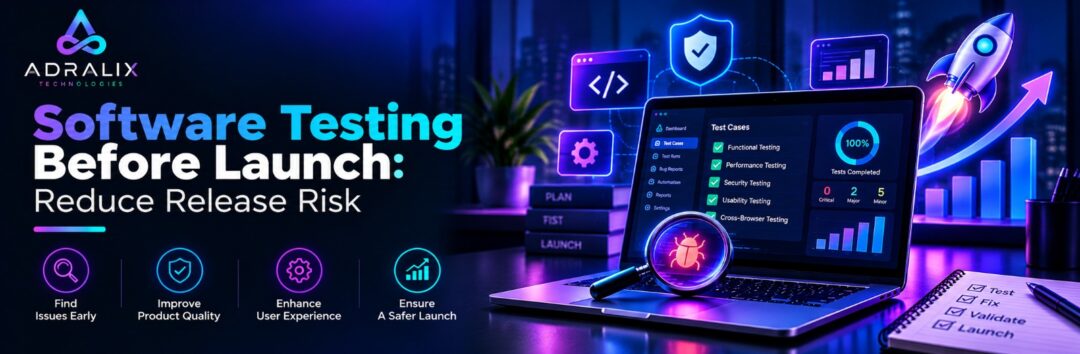
Software Testing Before Launch helps businesses identify defects, usability problems, and functional gaps before software reaches its users. An application may look complete during development, but issues can emerge when users follow unexpected paths, systems exchange data, or features interact under real-world conditions.
Testing is therefore more than a final approval step. It helps development teams understand whether an application meets its requirements, supports important user journeys, and is sufficiently reliable for release.
Whether you are launching a website, mobile app, eCommerce store, or enterprise application, a planned testing approach can help reduce avoidable release risks.
Quick Answer: Why Is Software Testing Before Launch Important?
Software testing verifies that an application behaves as expected, meets its requirements, and handles important scenarios before release. It helps teams identify defects, validate integrations, check usability, and evaluate whether critical workflows are ready for production.
Key Facts About Software Testing
- Functional testing checks whether features behave according to defined requirements.
- Regression testing checks whether changes affect previously working functionality.
- Manual testing uses human judgment to explore behavior and user journeys.
- Automated testing executes predefined checks consistently through software and test frameworks.
- Performance testing evaluates behavior under specified workload conditions.
- Security testing examines potential weaknesses in application behavior and protection.
- Testing findings help teams assess release readiness, although they cannot guarantee that every defect has been found.
The appropriate testing strategy depends on application complexity, business impact, release frequency, integrations, and the consequences of failure.
Manual Testing Services: Where Human Judgment Matters
Manual Testing Services involve human testers interacting with software to validate functionality, usability, workflows, and behavior that may not be fully captured by predefined scripts.
Manual testing is particularly useful when investigating new features, changing workflows, confusing interfaces, and unusual user behavior.
Typical activities include:
- Functional testing: Verify forms, calculations, permissions, features, and workflows.
- Exploratory testing: Investigate unexpected behavior beyond predefined test cases.
- Regression testing: Recheck functionality following code changes and fixes.
- Compatibility testing: Evaluate behavior across relevant browsers, devices, and environments.
- Usability testing: Identify confusing navigation, unclear messages, and unnecessary friction.
- Edge-case testing: Challenge the application with unusual inputs and interaction sequences.
For example, an online checkout might work when a customer follows the intended sequence but fail when the customer changes an address, refreshes the page, or returns after an interrupted payment.
Manual testing can uncover such issues by examining the wider customer journey instead of validating each feature in isolation.
Adralix provides Manual Testing Services for structured validation, exploratory testing, defect verification, and release-readiness support.
Automation Testing Services: Make Repeatable Checks More Efficient
Automation Testing Services use scripts and test frameworks to execute repeatable validation. They are especially useful when the same scenarios must be checked repeatedly as applications evolve.
Automation can support:
- Regression suites: Recheck established functionality after code changes.
- API testing: Validate request handling, responses, and defined business rules.
- Repeatable workflows: Execute stable scenarios without requiring manual repetition each time.
- Continuous testing: Run selected tests as part of development and release workflows.
- Consistent validation: Apply the same test steps across supported execution environments.
Automation requires an initial investment in selecting test cases, building the framework, managing test data, and maintaining scripts as functionality changes.
Not every scenario should be automated. A frequently changing interface or an exploratory task that requires human judgment may be better suited to manual testing, while a stable, repetitive transaction workflow may benefit from automation.
Manual Testing vs. Automated Testing
| Factor | Manual Testing | Automated Testing |
| Execution | Human tester | Automated scripts and tools |
| Best suited for | Exploration, usability, judgment | Repeatable, predictable checks |
| Initial setup | Test planning and scenarios | Framework and script development |
| Repeated execution | Requires repeated human effort | Can be executed repeatedly |
| Maintenance | Test scenarios need updating | Test scripts and frameworks need updating |
| Typical use | New features and complex user journeys | Regression suites and recurring API checks |
Adralix also provides Automation Testing Services for repeatable application checks and regression validation.
Software Quality Assurance: How Should Testing Fit Into Development?
Software Quality Assurance should be integrated into the development lifecycle rather than left entirely until the application is ready to launch.
A practical testing workflow looks like this:
- Understand requirements: Identify features, acceptance criteria, users, and business-critical workflows.
- Assess risks: Prioritize functionality where failure could have significant consequences.
- Prepare test scenarios: Define normal paths, negative cases, boundary conditions, and integrations.
- Execute tests: Use manual or automated methods according to the scenario.
- Document defects: Record reproduction steps, expected behavior, actual behavior, and supporting evidence.
- Verify fixes: Retest corrected issues and check for unintended effects.
- Review readiness: Evaluate outstanding defects and unresolved risks before release.
The following table shows how testing priorities can be organized.
| Application Area | Testing Focus |
| Login and accounts | Authentication and permissions |
| Forms and workflows | Validation and business rules |
| Payments | Transaction outcomes and error handling |
| APIs and integrations | Data exchange and failure handling |
| Responsive interfaces | Browser and device compatibility |
| Critical user journeys | End-to-end behavior |
Testing should also consider security, privacy, performance, and data handling where relevant. A passed test suite is evidence of tested behavior, not proof that the application contains no defects.
How Adralix Supports Software Testing Before Launch
Adralix’s published capabilities cover manual testing, automation testing, web development, and mobile app development. These capabilities can help teams integrate quality checks with the products being developed rather than treating testing as an unrelated final activity.
Businesses can explore Manual Testing Services for human-led validation and Automation Testing Services for repeatable checks.
Its App Development Services also include testing and QA as part of the mobile product lifecycle.
The appropriate scope depends on your application, release schedule, existing QA process, and risk areas. Before starting, establish the environments, platforms, critical workflows, expected coverage, defect reporting process, and release criteria.
Frequently Asked Questions About Software Testing
Why is Software Testing Before Launch necessary?
Software Testing Before Launch helps identify functional defects, integration problems, usability gaps, and other risks before users encounter them. It also gives teams information for making release decisions.
When should businesses use Manual Testing Services?
Manual Testing Services are useful for exploratory testing, usability reviews, new features, complex user journeys, edge cases, and scenarios that require human judgment.
When do Automation Testing Services make sense?
Automation Testing Services are valuable when stable scenarios must be repeated frequently, such as regression checks, API tests, and recurring workflows.
What is Software Quality Assurance?
Software Quality Assurance is the broader set of processes and practices used to support software quality. It can include planning, testing, defect management, process review, and continuous improvement.
Conclusion
Software Testing Before Launch helps businesses evaluate functionality, integrations, usability, and reliability before releasing an application. The right approach combines risk-based planning, manual testing, automation, defect verification, and clear release criteria.
Testing cannot guarantee defect-free software, but it can provide valuable evidence about product quality and outstanding risks. Adralix Technologies offers manual and automation testing capabilities alongside web and mobile development, helping businesses plan quality checks around their products and delivery needs.
The objective is to release with a clearer understanding of what has been tested, which issues remain, and what needs attention before users depend on the software.